이미지 · 영상
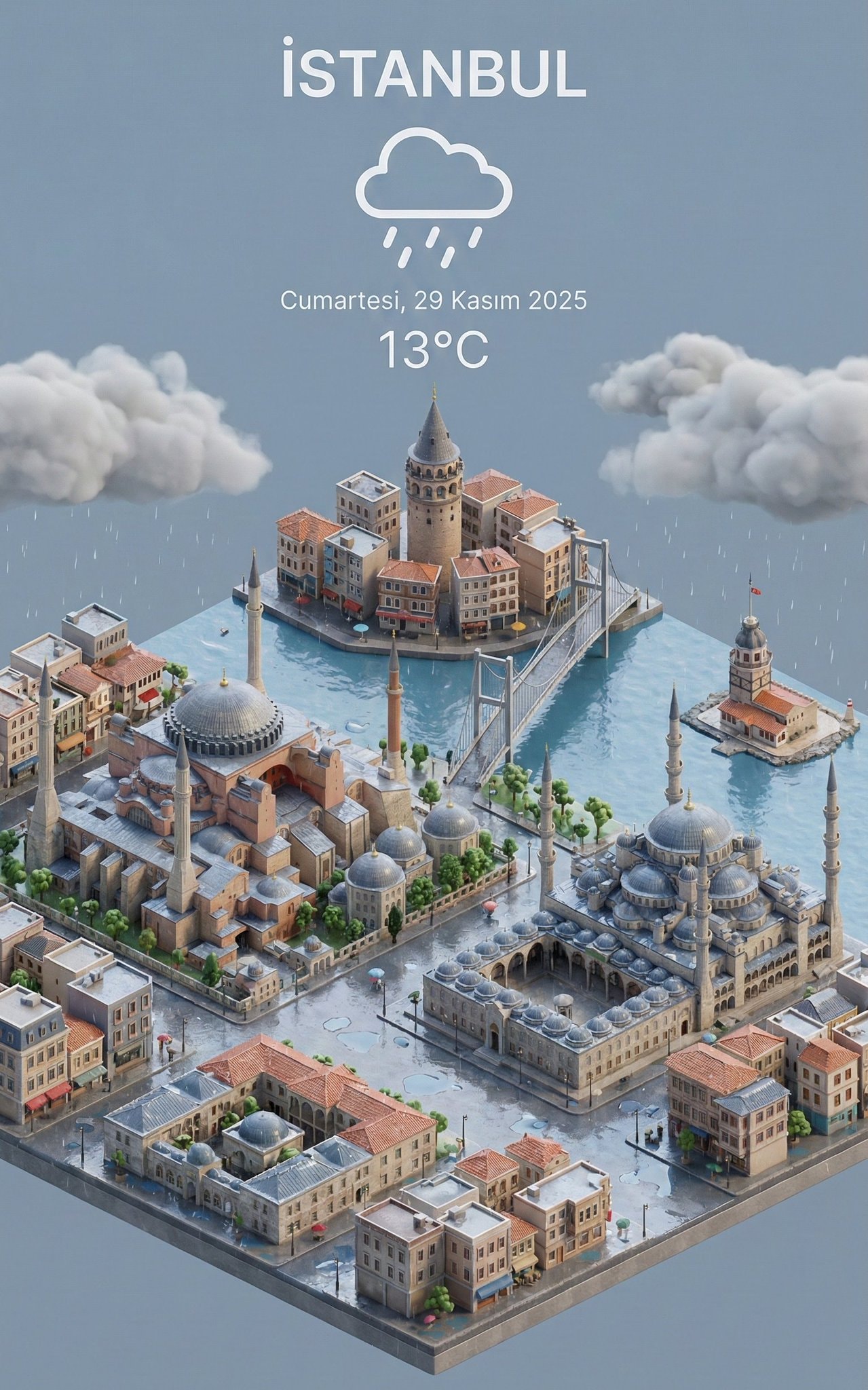
날씨 3D 미니어처 도시
특정 도시의 실제 날씨 정보와 텍스트 레이아웃이 어우러진 3D 미니어처 그래픽 이미지를 생성할 때 사용합니다.
- 추천 툴
- Nano BananaAI 분류
- 쓰인 기법
- 구도 지정 · 스타일 명시 · 텍스트 배치 지시
프롬프트 원문
Present a clear, 45° top-down view of a vertical (9:16) isometric miniature 3D cartoon scene, highlighting iconic landmarks centered in the composition to showcase precise and delicate modeling.

The scene features soft, refined textures with realistic PBR materials and gentle, lifelike lighting and shadow effects. Weather elements are creatively integrated into the urban architecture, establishing a dynamic interaction between the city's landscape and atmospheric conditions, creating an immersive weather ambiance.

Use a clean, unified composition with minimalistic aesthetics and a soft, solid-colored background that highlights the main content. The overall visual style is fresh and soothing.

Display a prominent weather icon at the top-center, with the date (x-small text) and temperature range (medium text) beneath it. The city name (large text) is positioned directly above the weather icon. The weather information has no background and can subtly overlap with the buildings.

The text should match the input city's native language.

Please retrieve current weather conditions for the specified city before rendering.

City name: İSTANBUL
한국어 풀이 보기(참고용)
정교하고 섬세한 조형미를 보여주기 위해 정중앙에 상징적인 랜드마크를 강조한 세로형(9:16) 아이소메트릭 미니어처 3D 만화 씬의 명확한 45° 탑다운 뷰를 표현하세요.

이 장면은 사실적인 PBR 재질과 부드럽고 생생한 조명 및 그림자 효과가 어우러진 부드럽고 정제된 텍스처를 특징으로 합니다. 날씨 요소가 도시 건축물에 창의적으로 통합되어 도시의 풍경과 기상 조건 사이의 역동적인 상호작용을 만들어내며 몰입감 있는 날씨 분위기를 연출합니다.

메인 콘텐츠를 강조하는 부드러운 단색 배경과 미니멀한 미학을 적용한 깔끔하고 통일된 구도를 사용하세요. 전반적인 시각적 스타일은 신선하고 편안합니다.

상단 중앙에 눈에 띄는 날씨 아이콘을 표시하고, 그 아래에 날짜(매우 작은 텍스트)와 기온 범위(중간 텍스트)를 배치하세요. 도시 이름(큰 텍스트)은 날씨 아이콘 바로 위에 위치합니다. 날씨 정보는 배경이 없으며 건물과 자연스럽게 포개질 수 있습니다.

텍스트는 입력된 도시의 모국어와 일치해야 합니다.

렌더링 전 지정된 도시의 현재 날씨 정보를 가져와 적용하세요.

City name: İSTANBUL
- 활용City name 부분에 SEOUL, TOKYO 등 원하는 도시 이름을 영문으로 바꿔 입력해 보세요.
- 활용인스타그램 스토리나 모바일 배경화면에 바로 사용할 수 있는 9:16 세로형 비율로 생성됩니다.
출처 · prompts.chat · 3D Isometric Miniature City View with Weather — 원문은 출처에 게시된 그대로이며, 권리는 원작자에게 있습니다.
원작 결과 이미지
원문 작성자(Mehmet Altuğ Akgül)가 prompts.chat 에 올린 결과입니다. 원본 주소에서 표시됩니다.
mopick 개선안
원문을 더 잘 동작하게 고쳐 쓴 프롬프트
원문을 그대로 넣으면 AI 가 매번 다르게 답하거나 중요한 부분을 빠뜨릴 수 있습니다. 개선안은 원문의 뜻과 언어는 그대로 두고 역할 · 바꿔 넣을 입력 칸 · 결과 형식 · 지킬 조건을 보완해 다시 쓴 버전입니다. 원문과 같은 곳(ChatGPT · Claude 등)에 그대로 붙여 넣어 쓰면 됩니다.
AI 자체 평가 — 개선안을 쓴 AI 가 명확성 · 구체성 · 결과 형식 · 재사용성 기준(100점)으로 직접 매긴 점수 · 결과를 돌려 검증한 값은 아님
원문82
개선안95
원문의 문제 → 개선안에서 고친 점
입력 칸레슨 05 배우기 ›
원문 · 없음바꿔 넣을 자리가 표시돼 있지 않아 쓸 때마다 원문을 직접 고쳐야 했습니다.
개선 · 6개[City Name: İSTANBUL] · [Weather Condition: e.g., Rain/Snow/Sunlight] · [Native Language] 외 3개
작업 순서레슨 07 배우기 ›
원문 · 없음작업 순서가 정해져 있지 않아 AI 가 순서를 스스로 정해야 했습니다.
개선 · 3단계
고친 이유 (개선안을 만든 AI 의 설명)
- 1실시간 조회 요구를 대괄호 가변 변수로 구조화
- 2스타일·배치·텍스트 레이아웃을 구체적으로 분리
- 3재사용성 확보 및 이미지 생성기 준수율 향상
이 개선안에 쓰인 기법 — 프롬프트 클래스에서 배우기
원문
Present a clear, 45° top-down view of a vertical (9:16) isometric miniature 3D cartoon scene, highlighting iconic landmarks centered in the composition to showcase precise and delicate modeling.

The scene features soft, refined textures with realistic PBR materials and gentle, lifelike lighting and shadow effects. Weather elements are creatively integrated into the urban architecture, establishing a dynamic interaction between the city's landscape and atmospheric conditions, creating an immersive weather ambiance.

Use a clean, unified composition with minimalistic aesthetics and a soft, solid-colored background that highlights the main content. The overall visual style is fresh and soothing.

Display a prominent weather icon at the top-center, with the date (x-small text) and temperature range (medium text) beneath it. The city name (large text) is positioned directly above the weather icon. The weather information has no background and can subtly overlap with the buildings.

The text should match the input city's native language.

Please retrieve current weather conditions for the specified city before rendering.

City name: İSTANBUL
개선안 · 색칠한 [칸]에 내 내용을 넣어 쓰세요
Generate a high-quality 9:16 vertical 3D isometric miniature cartoon scene featuring iconic landmarks of [City Name: İSTANBUL].

**Style & Composition:**
- Perspective: 45° top-down isometric view with a centered composition.
- Visuals: Soft PBR materials, delicate modeling, fresh and soothing aesthetics, set against a clean, solid-colored background.
- Lighting: Gentle, lifelike lighting with realistic soft shadows.

**Weather Integration:**
- Creatively integrate dynamic atmospheric elements of [Weather Condition: e.g., Rain/Snow/Sunlight] directly into the urban architecture.

**Text & UI Overlay Layout (in [Native Language]):**
- Top-Center Alignment (No background box, subtle building overlap allowed):
  1. [City Name] in large text (top-most position).
  2. Prominent weather icon directly beneath the city name.
  3. [Date] in x-small text and [Temperature Range] in medium text placed underneath the icon.

Render a polished, high-resolution output suitable for a mobile UI background.